
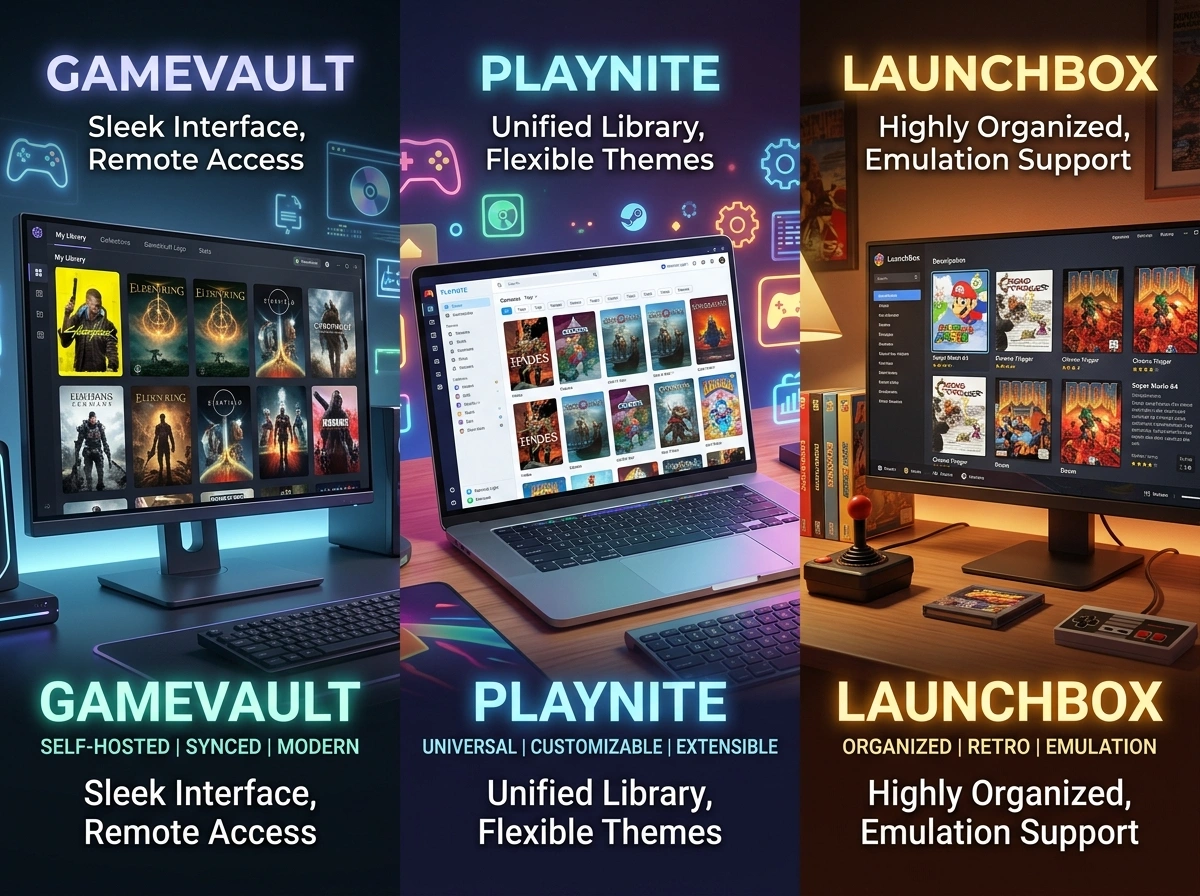
For modern PC gamers, managing a digital library has become a fragmented, frustrating experience. With titles scattered across Steam, Epic Games, GOG, and EA, the dream of a unified gaming ecosystem often feels out of reach. In response, a vibrant community of developers has created library managers and unified launchers to bring order to the chaos.
Among these solutions, a newer, highly innovative platform has emerged: GameVault. Unlike traditional library managers, GameVault is a self-hostable, source-available gaming platform specifically designed for DRM-free video games.
But how does GameVault stack up against established titans like Playnite and LaunchBox? In this comprehensive comparison, we will explore the unique selling points of GameVault, analyze its core competitors, and help you decide which platform is the ultimate solution for your gaming needs.
Understanding the Contenders
Before diving into the granular differences, it is crucial to understand the fundamental architecture and primary use cases for each platform.
What is GameVault?
GameVault is not just a game launcher; it is a full-fledged, self-hosted client-server ecosystem. It consists of a backend server (deployed via Docker on your personal NAS or home server) and a desktop client application.
You simply place your legally obtained, DRM-free game files (such as installers and binaries) into a designated folder on your server. GameVault automatically indexes these files, enriches them with metadata from various video game databases, and serves them to your client application. From the client, you can browse, download, automatically extract, install, and play your games with a seamless, Steam-like experience.
What is Playnite?
Playnite is an open-source video game library manager and launcher with one primary goal: unification. It runs locally on your Windows machine and scans your hard drives and digital accounts (Steam, Xbox, GOG, etc.) to pull all your owned games into a single, highly customizable interface. Playnite does not host your game files; rather, it acts as a master remote control for the launchers you already have installed.
What is LaunchBox?
Originally built as a front-end for the DOSBox emulator, LaunchBox has evolved into a powerhouse for retro gaming and emulation management. Like Playnite, it runs locally on your PC. It excels at scraping high-quality metadata, organizing massive ROM collections, and providing a visually stunning “Big Box” mode (available in its premium tier) that is perfect for arcade cabinets and home theater PCs.
GameVault vs. Competitors: A Head-to-Head Comparison
To understand what truly sets GameVault apart, we must evaluate these platforms across several key operational factors: hosting architecture, multi-user capabilities, feature sets, and pricing.
1. Architecture: Local Management vs. True Self-Hosting
The most significant difference between GameVault and its competitors is where your files live and how they are accessed.
Playnite and LaunchBox are local library managers. They assume that your games are either already installed on your local PC’s hard drive or that you will use a third-party client (like Steam) to download them. If you move to a new computer, you have to migrate your entire installation or re-download everything from official storefronts.
GameVault operates on a true self-hosted architecture. Your game installers are stored centrally on your home server. When you log into the GameVault client on your desktop or laptop, you are presented with your entire server’s catalog. You click “Download,” and the client pulls the files directly from your personal server over your local network (or the internet, if configured), automatically extracting and installing the game for you. This makes GameVault an independent, decentralized distribution platform tailored entirely to your personal, DRM-free collection.
2. Multi-User Capabilities and Community Features
Gaming is often a shared experience, particularly within a household. Here, GameVault possesses a massive competitive advantage.
Playnite and LaunchBox are strictly single-user experiences tied to the local Windows profile they are installed on. They do not natively support user accounts, permissions, or remote library sharing.
GameVault is built from the ground up for communities. The server backend features a robust multi-user authentication system complete with Role-Based Access Control (RBAC). You can create accounts for your friends and family members, allowing them to log into your server and download games to their own machines.
Furthermore, GameVault includes:
- Parental Controls: Server administrators can restrict which games younger users can see and download.
- Progress Tracking: The client tracks playtime and game progress (even offline), allowing users on the same server to compare their stats and see who has sunk the most hours into a specific title.
3. Metadata, Emulation, and Media
All three platforms excel at making your library look beautiful, but they go about it in different ways.
LaunchBox is the undisputed king of emulation. If your primary goal is organizing thousands of retro ROMs, LaunchBox has the most mature scraping tools and emulator integrations available.
GameVault is currently heavily focused on modern PC games (executables and installers). While the community is actively exploring ROM and emulator integration, GameVault’s current strength lies in its intelligent game type detection for PC binaries. It automatically pulls metadata, box art, and even features a built-in media player for trailers and gameplay videos right inside the client interface.
4. Premium Tiers and Pricing
While the core experiences of these platforms are accessible, evaluating their premium offerings reveals different development philosophies.
- Playnite: 100% free and open-source. There is no premium tier, and development is supported purely by community donations via Patreon.
- LaunchBox: Offers a free version, but the highly coveted “Big Box” mode (which provides a cinematic, controller-friendly UI) requires a premium license. A regular license costs $30/year, while a lifetime license runs $75.
- GameVault: The core server and client are free and source-available. However, to support development, the Phalcode team offers GameVault+. Priced at €4.99/month (Flex Plan), €49.90/year (Smart Saver), or €8.99/month for a shareable Family & Friends plan, GameVault+ introduces incredible quality-of-life features. These include animated profile pictures, cloud saves (syncing your local saves back to your server), multi-profile usage, and native integrations with Discord, Steam, and notably, Playnite itself.
The Verdict: Which Should You Choose?
When analyzing GameVault vs. Playnite vs. LaunchBox, it becomes clear that these tools are not mutually exclusive; rather, they solve very different problems in the PC gaming space. GameVault’s unique selling point is that it is a file distribution and storage network for your personal library, wrapped in a beautiful, consumer-friendly UI.
Recommendations Based on Your Needs:
Choose Playnite if:
You buy all your games legally across a dozen different storefronts (Steam, Epic, EA, Ubisoft, GOG) and you simply want one lightweight, highly customizable application to launch them all. If you don’t own a NAS or a home server and don’t care about hosting installers yourself, Playnite is the undisputed best choice for unifying a modern digital library.
Choose LaunchBox if:
Your primary interest is retro gaming and emulation. If you are building a living room HTPC or an arcade cabinet and want a jaw-dropping, controller-first interface (via Big Box) to showcase decades of gaming history, LaunchBox provides the most robust toolset on the market.
Choose GameVault if:
You are a data hoarder, a self-hosting enthusiast, or a staunch advocate for DRM-free game preservation. If you have terabytes of legally obtained game installers stored on a personal server and want to share that library seamlessly with your friends and household, GameVault is a revolutionary piece of software. It elevates your raw file directories into a private, bespoke gaming storefront, complete with cloud saves, user management, and playtime tracking.
Ultimately, for the self-hosted homelab community, GameVault fills a massive void. It provides the autonomy of local file ownership with the premium, automated user experience we have come to expect from massive corporate storefronts—putting the power of your digital library firmly back in your own hands.
Please visit website for more info.
